To obtain a new password, perform the following steps:
Step 2. Enter your identifying information, either your first name, last name, zip code or your email address and select the Next button.
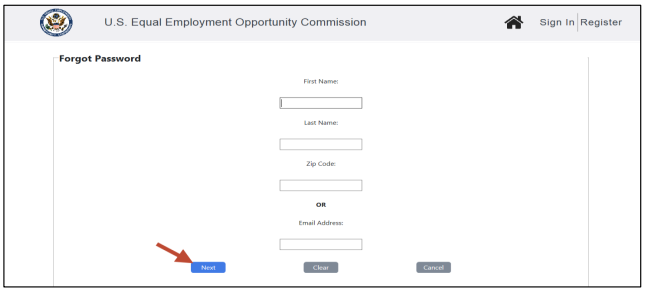
➢ Tip! Selecting the Clear button will clear the fields on the screen.
Step 3. Next answer the security questions you entered when you created your user account. Provide your answers and select the Reset Password button to continue.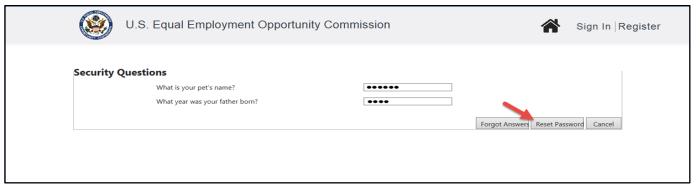
➢ Tip! Forgot the answers? Select the Forgot Answers button and they will be emailed to you.
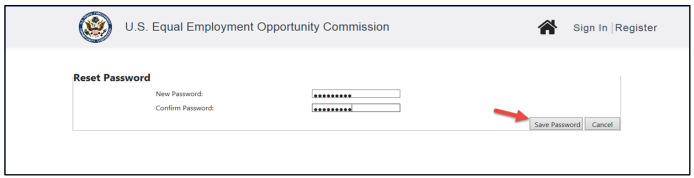
Step 4. The Reset Password screen displays. Enter a new password and select the Save Password button. A confirmation email will be sent to you.