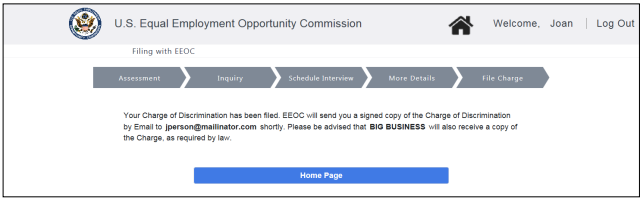
Step 2. Open the EEOC Public Portal and select My Cases.
 Step 3. The login page displays. Enter your user ID and password to login.
Step 4. If you have more than one case submitted with the EEOC, the My Cases listing displays first; select the Charge Number to access the My Charge page.
Step 5. The My Charge page displays with the information relating to the Charge of Discrimination that the EEOC has prepared.
➢ Tip! If you want to view the inquiry that you submitted, select the View Inquiry button.
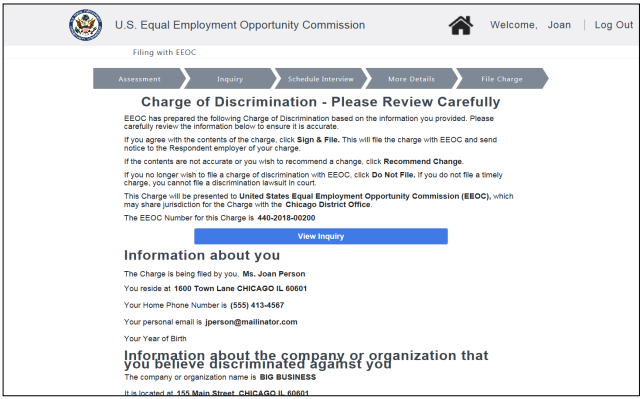 Step 6. Scroll down the page to the Recommended Changes section and select the View Charge Document at the bottom of the page to view the Charge of Discrimination.
➢ Tip! If you need to change the supplemental information for your inquiry before filing the charge, EEOC will unlock the inquiry. When the inquiry is unlocked, the Supplemental Inquiry Information page displays for you to edit the supplemental information. EEOC will modify the charge particulars as needed and resend the charge to you for review in the EEOC Public Portal.
➢ Tip! If you no longer want to file the charge, select the Do Not File button.
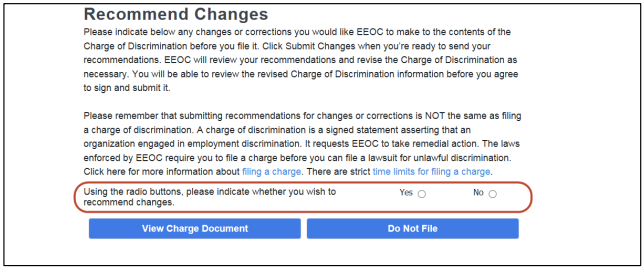 Step 8. If you want to make changes or corrections to the Charge of Discrimination select the Yes button. A space to enter changes and a Submit Changes button are displayed.
Enter your recommendations in the space provided and select the Submit Changes button. Your changes will be automatically sent to the EEOC.
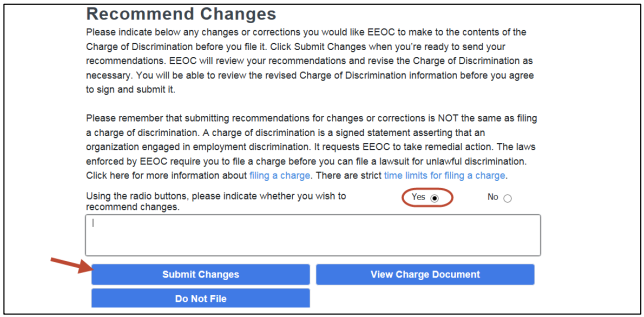 The EEOC addresses the recommended changes and sends the modified document back to you for review (Note: this step can be repeated if necessary).
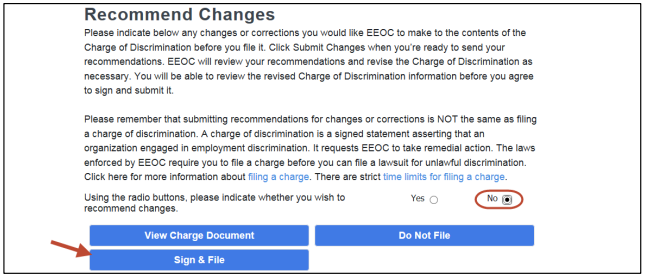
Step 9. When you are ready to file your charge, select the No button. The Sign & File button is displayed. Select the Sign & File button to file a formal charge.
 Step 10. The confirmation page will appear. Check the box to confirm that the information in the charge is true and correct and electronically sign the document, select the File Charge button.
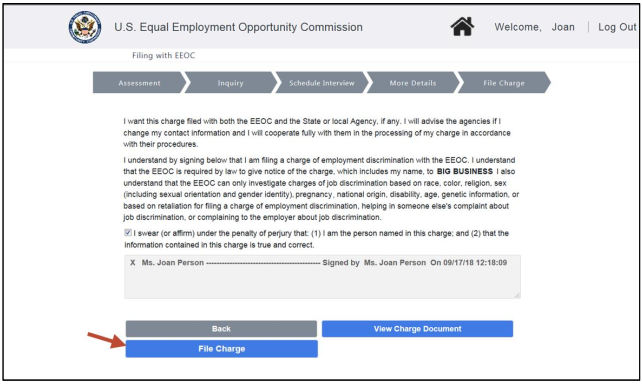
➢ Tip! If you want to view the Charge of Discrimination again before confirming, select the View Charge Document button.
➢ Tip! If you have changed your mind about filing, select the Back button, then select the Do Not File button when the previous page displays.
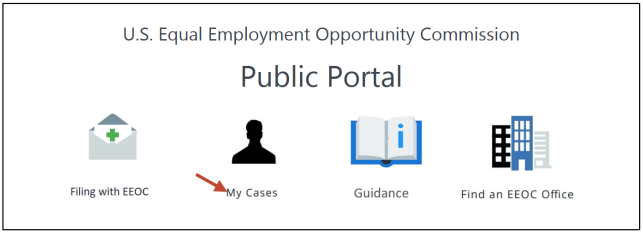
A confirmation page is displayed. Select the Home Page button to continue.