
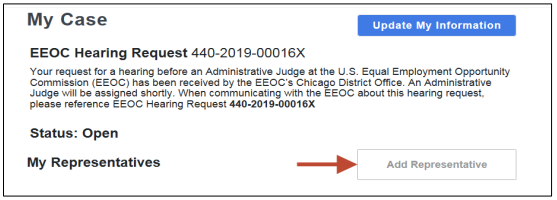
 Step 2. The Representative Information page displays. Indicate if the person who represents you is an attorney by selecting either the Yes or No button.
Step 3. Enter the information for the representative.
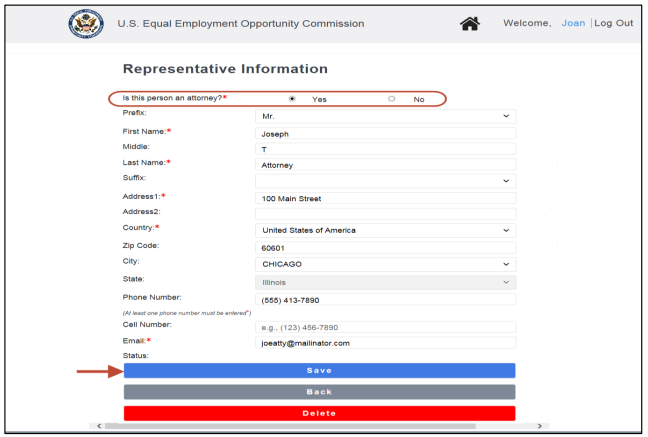
➢ Tip! When the Zip Code is entered, the city and state fields are automatically populated.
Step 4. Select the Save button. Select the Back button to return to the My Case page.Step 5. The representative you identified will be sent an email to confirm that he/she will be representing you.
Step 6. If the EEOC does not receive confirmation from the representative after 10 days, you may confirm by uploading a Notice of Representative signed by your representative, or you may designate a different representative.


