
The information displayed for each document in the My Documents list is shown in Table 1 below.
| Column Name | Description |
|---|---|
| Name | The name of the document. Identical to the document’s file name minus the file extension. |
| Type | The document type (e.g. “Complainant Appeal Brief”). |
| Added On | The date the document was uploaded. |
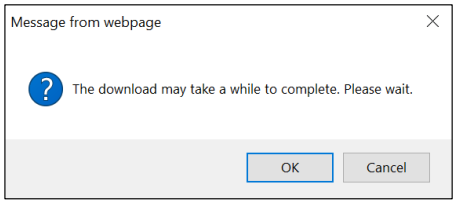
Step 2. A pop-up message displays indicating that the download may take a while. Select the OK button to continue with the document download (if you do not want to continue with the download, select the Cancel button).
 Note: The message may display differently depending on the browser you’re using.
Step 3. The document will be downloaded. Choose to open it, or save the file to your computer or a shared drive, as shown below:
Note: The message may display differently depending on the browser you’re using.
Step 3. The document will be downloaded. Choose to open it, or save the file to your computer or a shared drive, as shown below:
 If you choose to save it, you will be asked to select a location on your computer where you want it saved. (You may also rename the document if you choose to save it.)
Be sure to save all documents related to your hearing, or appeal, including Email correspondence.


