
➢ Tip! You cannot change your email address using the Update My Information button on the My Case page for a specific case. You must use the Update Account page as described in EEOC Public Portal User’s Guide - Volume 1 – Getting Started.
To update your contact information, perform the following steps: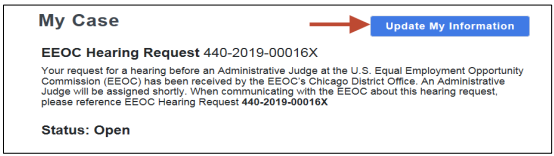 Step 2. On the Complainant Information page, your current contact information is displayed (initially you will see the information you entered when submitting your request). Make any needed changes.
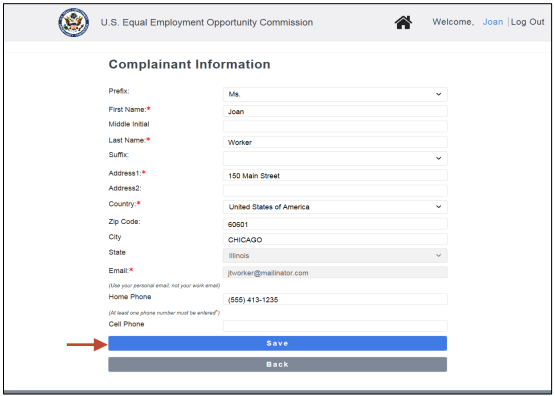 Step 3. Select the Save button. Select the Back button to return to the My Case page.
Step 4. Select Update My Information at any time to view/update the information.


